CMDGLAS SHOP

Gear for your cockpit

Windows programs built for flying with a second screen, a touch screen or a XENEON EDGE. Pay once, keep it. Right after checkout, the thank-you page shows your license key and download links (a bundle key unlocks everything in the bundle).

Your ideas shape these tools. Every idea users send in is read and considered. Post yours in the suggestions forum on Discord (serious suggestions only).

No AI downloaded or installed

No AI is downloaded or installed with any CmdGlas product. CmdGlas never changes your game files unless you press a button and confirm it.

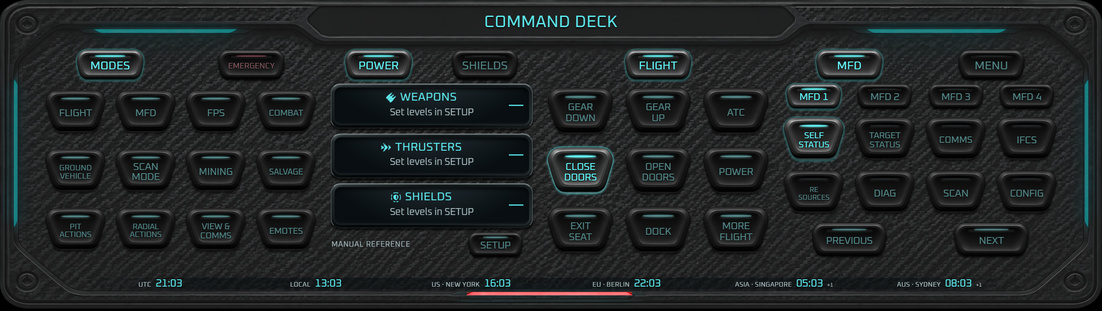
Command Deck home: modes, emergency, power levels, flight keys, landing gear, doors and MFD pages, with world clocks along the bottom.
Home
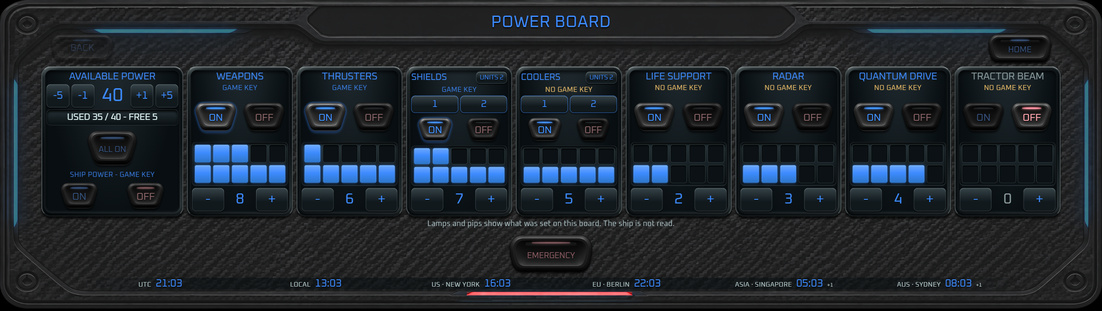
Power Board: available power 40, used 35, with on/off lamps and lit pips for weapons, thrusters, shields, coolers, life support, radar, quantum drive and tractor beam.
Power Board
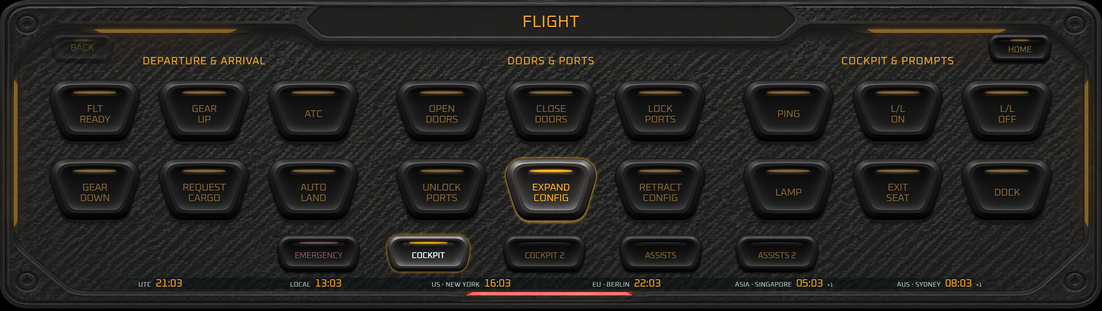
Flight page: departure and arrival, doors and ports, cockpit and prompts.
Flight
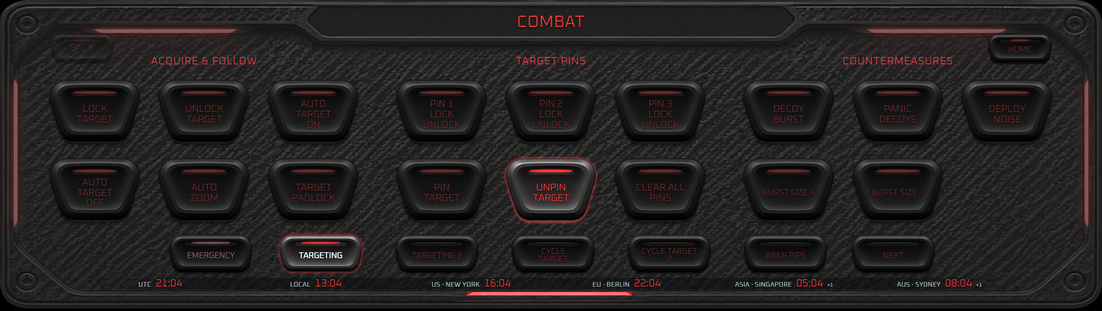
Combat page: acquire and follow, target pins, countermeasures.
Combat
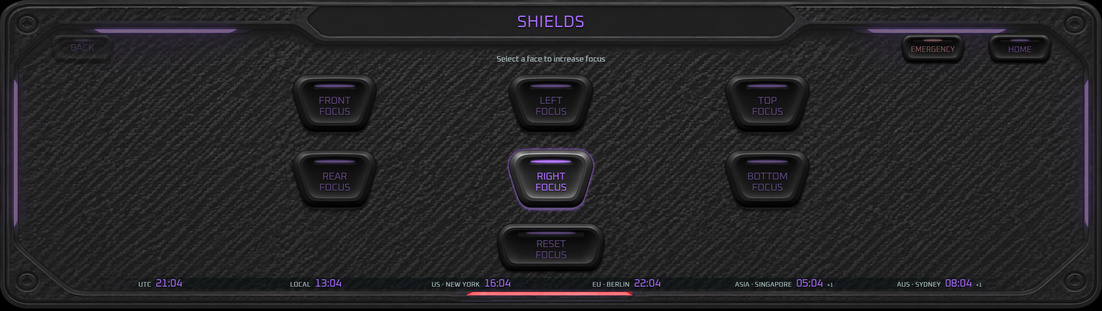
Shields page: front, rear, left, right, top and bottom focus, and reset focus.
Shields
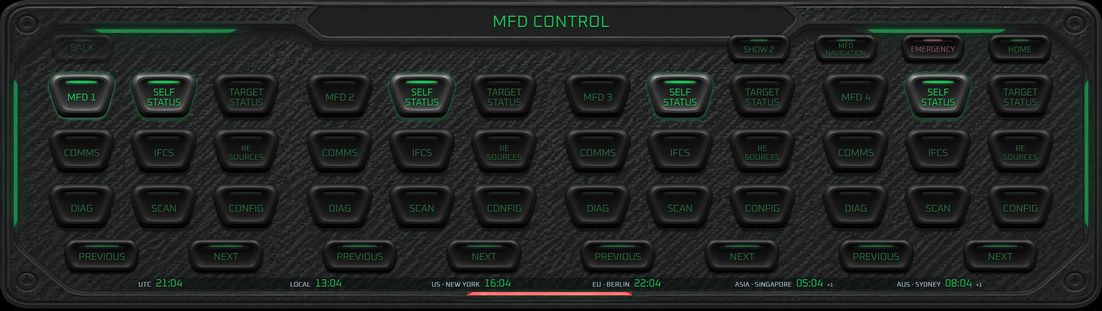
MFD control: four displays, each with page keys, previous and next.
MFD control
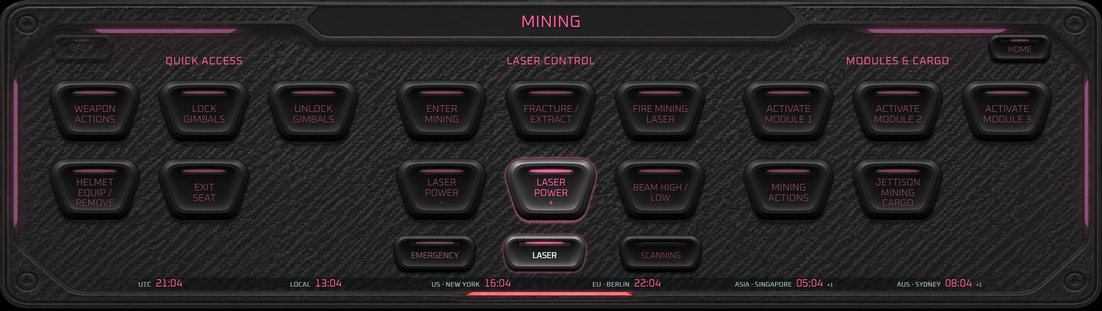
Mining page: quick access, laser control, modules and cargo.
Mining
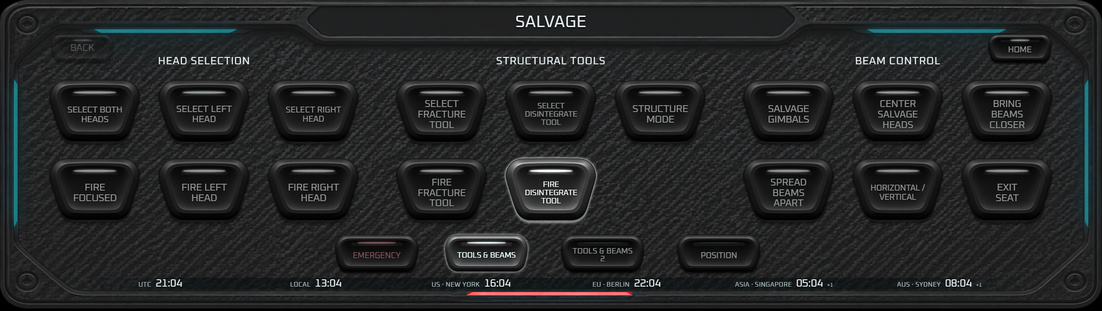
Salvage page: head selection, structural tools, beam control.
Salvage
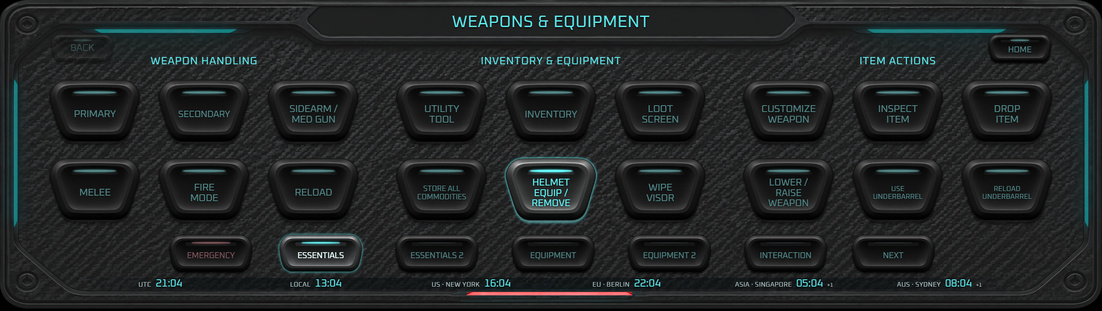
Weapons and equipment on foot: weapon handling, inventory and equipment, item actions.
On foot
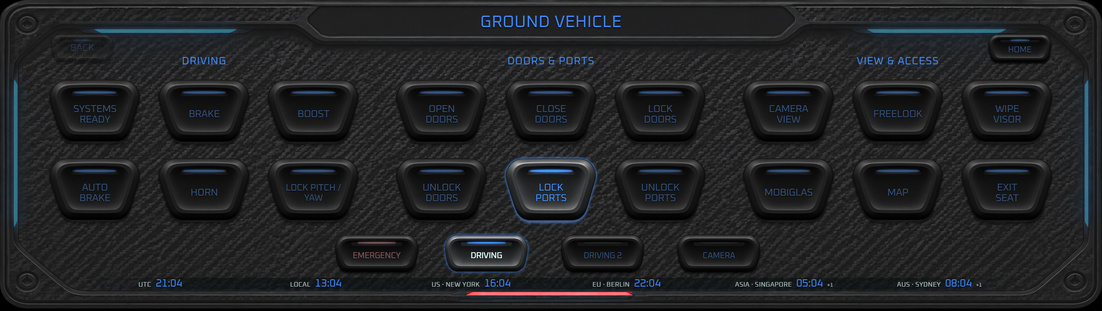
Ground vehicle page: driving, doors and ports, view and access.
Ground vehicle
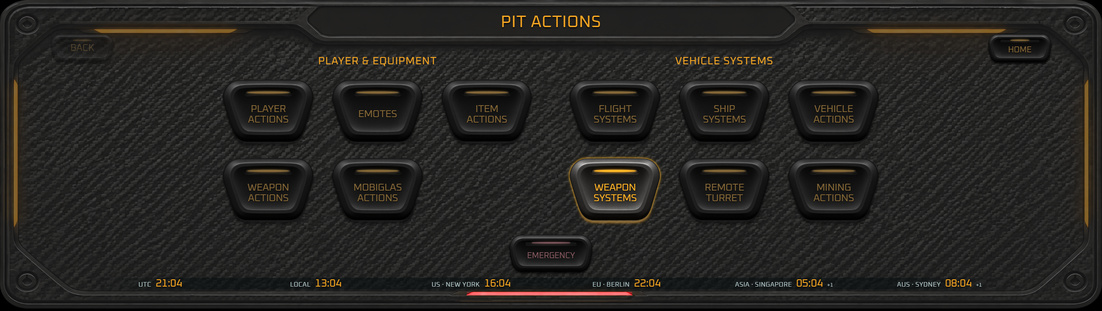
PIT actions page: player and equipment, vehicle systems.
PIT actions
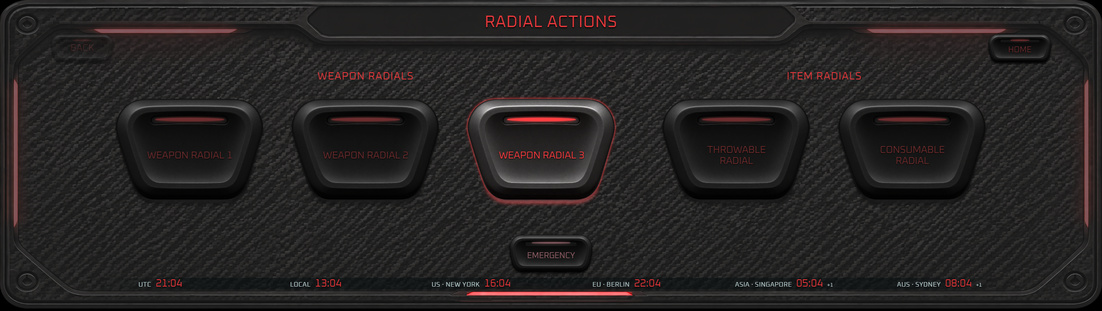
Radial actions page: weapon radials and item radials.
Radial actions

Command Deck

$19.99

A touch deck for your ship. Tap a button and the game gets your own saved keybind.

  • Desktop version and XENEON EDGE version in one purchase
  • Reads your own saved game keybinds; nothing to type in
  • Never steals focus from the game: tap the deck, the game stays in front
  • Power, shields, flight, MFD, combat, mining, salvage, on-foot and music pages
  • See-through setting, light color, four sizes, stays on top
  • Free extra skins and new deck designs for owners, released over time

Free keys

Deck buttons with no key in your game get one automatically. The deck checks your saved keybinds and the game's default keys, then picks combinations nothing uses: up to 2 modifiers + 1 key. You check the list, change any key, or leave buttons out.

Your own keybind file is never changed. The deck backs it up, writes a separate profile, and you load that profile once in the game's Control Profiles.

Tested on one player's own keybinds: 82 deck buttons had no key, and all 82 got one (64 new free combinations, 18 the game's own default keys).

Game backup

One press copies your game's USER folder (keybinds, saved control profiles, characters) to a folder you choose, with every file checked. Restore keybinds, characters or everything; the deck asks first, refuses while the game runs, and keeps an undo copy.

Pick any folder: another drive, OneDrive or a USB stick. The newest 10 backups are kept, and the deck asks before deleting older ones. A backup only reads your game files.

Uses: 87 MB download, 272 MB installed, about 575 MB memory while running, under 1% CPU at idle.

Got an idea? Every idea is read and considered: new layouts, pages, buttons, skins or features. Post it in the suggestions forum on Discord. Serious suggestions only.

Desktop: Windows 10 or 11, 64-bit. Use the game in borderless windowed mode. XENEON EDGE version: coming soon. It needs the free Command Deck EDGE Link program, ready to download now.

Buy Command Deck
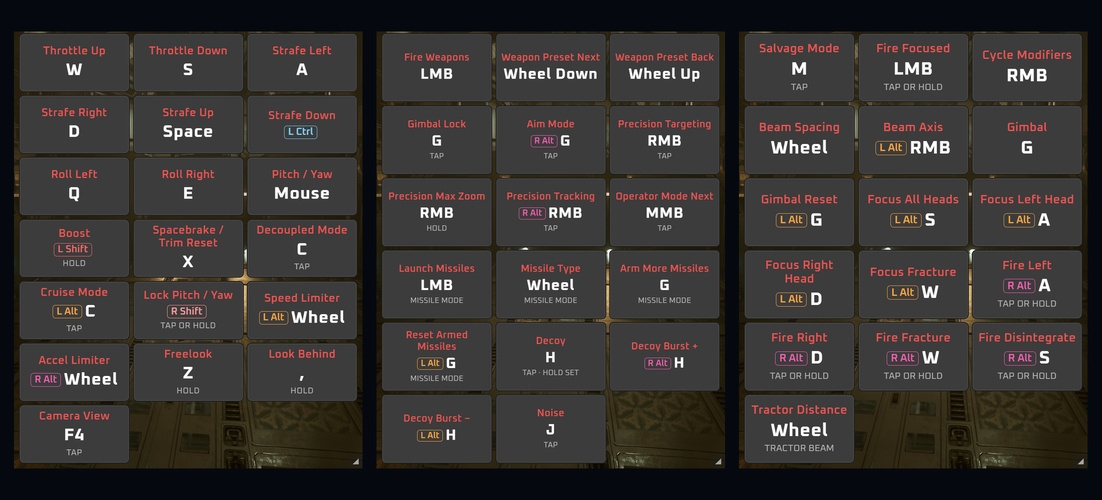
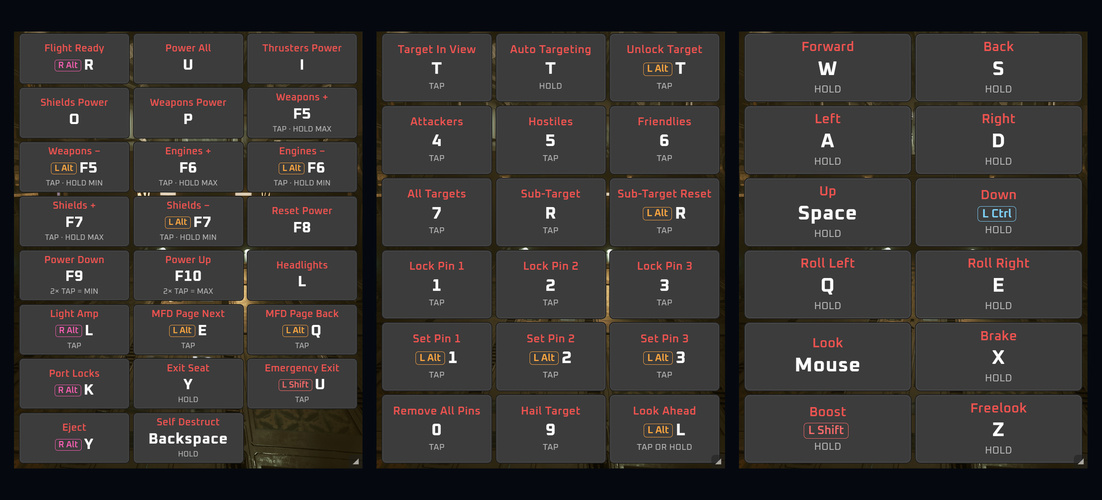
Three included keybind pages, Flight, Ship Combat and Salvage, shown see-through over the game.
Over the game
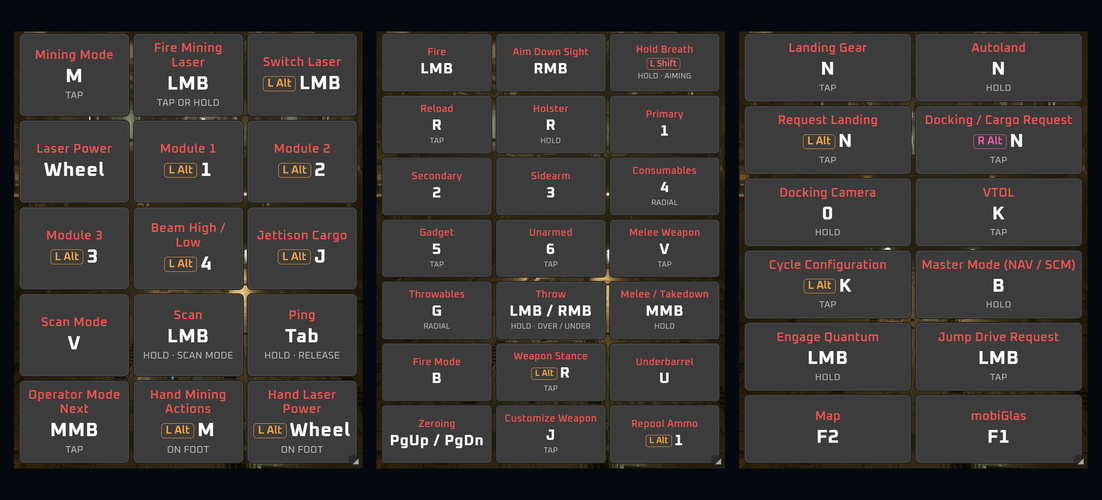
Included keybind pages Mining, FPS Combat and Landing and Quantum over the game.
Mining, FPS, landing
Included keybind pages Ship Systems, Targeting and EVA over the game.
Systems, targeting, EVA
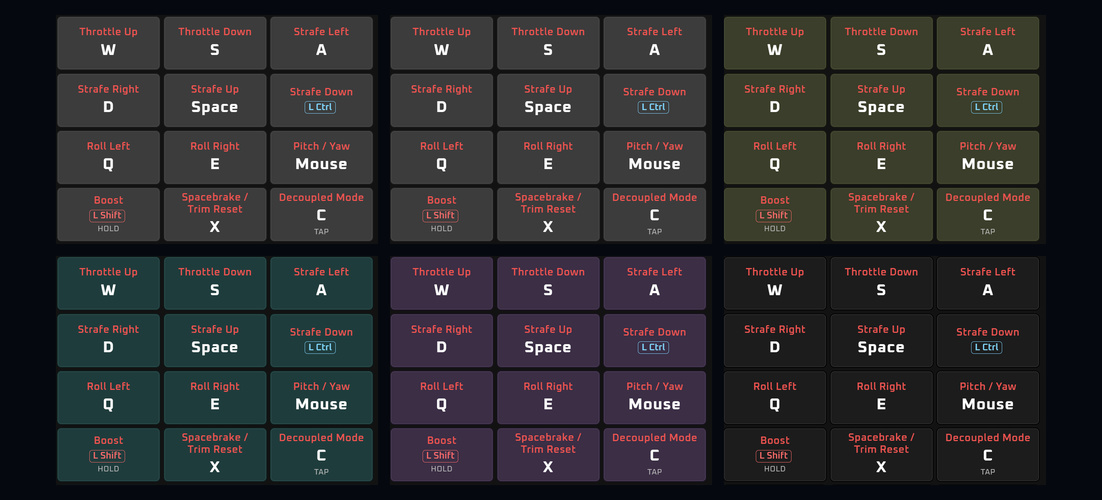
The same keybind page in the six key colors: graphite, slate, olive, teal, plum and black.
Six key colors
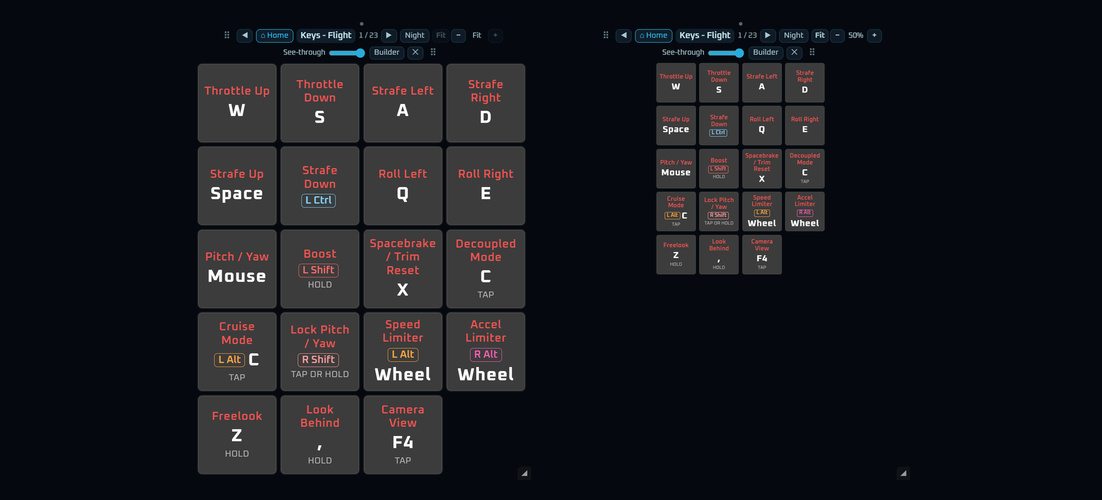
Keys filling the kneeboard (Fit) and the same page at 50 percent after pressing minus twice.
Key size: Fit or smaller
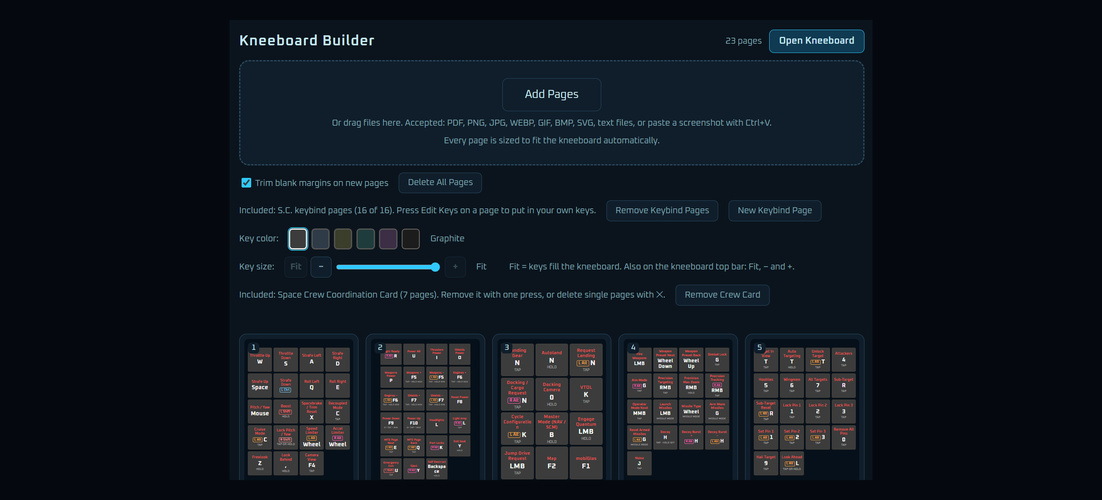
The Kneeboard Builder: Add Pages, key color, key size, and the included keybind pages and crew card.
Kneeboard Builder
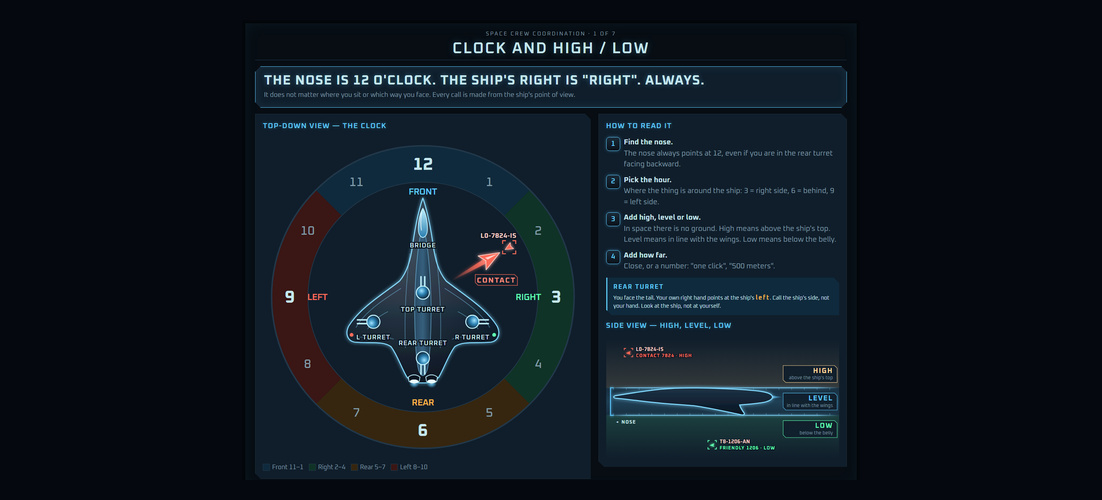
Page 1 of the included Space Crew Coordination Card: clock and high or low callouts around the ship.
Included crew card

Kneeboard + Builder

$9.99

Your own reference pages, always on top of the game.

  • 16 ready-made keybind pages from the game's standard keys: Flight, Mining, Salvage, Combat, FPS and more. Change any key to match your own
  • Add PDFs, pictures, text files or a pasted screenshot
  • Every page is sized to fit automatically; blank margins trimmed
  • Mouse wheel turns pages; Night mode turns white paper dark
  • See-through setting; drag to move, drag an edge to resize
  • Key size control: keys fill the page (Fit) or shrink down to 30%
  • Ctrl+Shift+K shows and hides it

Uses: about 0.25 GB memory, about 270 MB installed, almost no CPU.

Windows 10 or 11, 64-bit. Word files: save as PDF first.

Buy Kneeboard
The Spectre cursor in twelve colors and all seventeen cursor shapes in Aurora Opal, with the shimmer running up each pointer.

Spectre Cursor Pack

$1.99

Animated Windows cursors with a shimmer that runs up the pointer.

  • 12 colors, plus a set that cycles through all of them
  • All 17 Windows cursor shapes
  • Four sizes: 64, 96, 128 and 256 pixels, kept sharp at every size
  • One click back to the Windows cursors

Uses: about 0.25 GB memory while its window is open, about 720 MB installed. After Apply, a small background part keeps your cursors in place (about 0.26 GB).

Windows 10 or 11.

Buy Cursor Pack
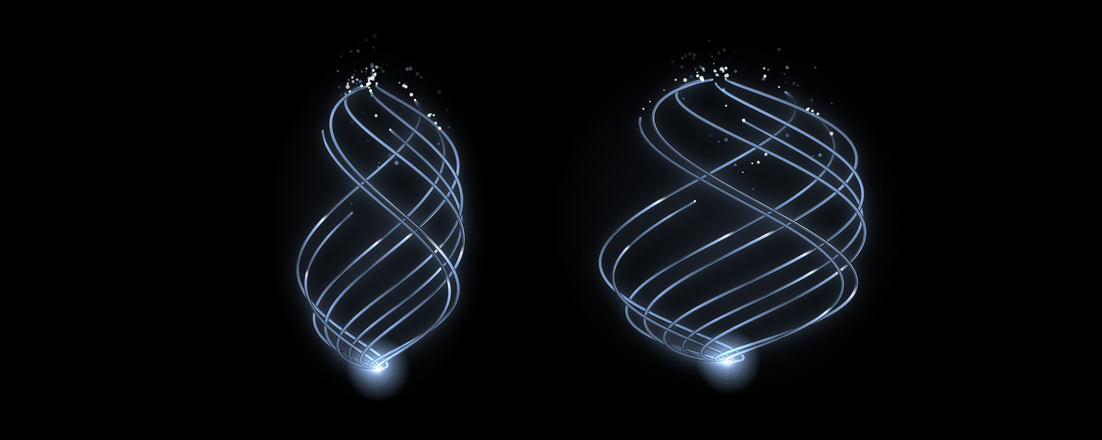
The Speech Petal in show mode: the tall shape on the left and the round shape on the right, nine glowing strands turning with sparks at the top.

Speech Petal

$2.99

A glowing petal for your stream. Pick what moves it with one button.

  • Choose what it follows: VoiceAttack (moves when VoiceAttack itself speaks), your voice (pick any connected microphone), music (everything your PC plays), or show mode
  • Two shapes: tall and narrow, or perfectly round
  • Pick its color
  • Shows in OBS as a Browser Source: paste one address from the program. No sound setup in OBS
  • One small program, no installer

Uses: about 50 MB memory, under 0.1 MB disk.

Windows 11. Needs OBS Studio to show it. VoiceAttack only for the VoiceAttack choice.

Buy Speech Petal

Bundles

Deck + Kneeboard

$25.00

Command Deck (desktop and EDGE) and Kneeboard + Builder.

Buy Deck + Kneeboard

Everything

$30.00

Command Deck, Kneeboard + Builder and the Spectre Cursor Pack.

Buy Everything

System requirements

All CmdGlas programs: Windows 10 or 11, 64-bit. Internet once to activate your key, then at least once every 7 days. Runs alongside S.C. - if your PC runs S.C., it runs this.

Kneeboard + Builder

  • About 0.25 GB memory
  • About 270 MB disk
  • Almost no CPU
  • S.C. must run in Borderless window mode

Command Deck

  • About 575 MB memory while running
  • 87 MB download, 272 MB installed
  • Under 1% CPU at idle
  • S.C. must run in Borderless window mode
  • A second screen or touch screen is recommended
  • XENEON EDGE version: also the free Command Deck EDGE Link

Spectre Cursors

  • About 0.25 GB memory while its window is open
  • About 720 MB disk
  • After Apply, a small background part keeps your cursors in place (about 0.26 GB)

Speech Petal

  • Windows 11
  • About 50 MB memory
  • Under 0.1 MB disk
  • Needs OBS Studio (shown as a Browser Source)
  • VoiceAttack only for the VoiceAttack choice

Questions

How do I get my program?

Right after checkout, the thank-you page shows your license key and the download link. Copy the key and keep it safe. The link works for 24 hours. To download again later, open the downloads page and paste your key. Enter the key the first time the program starts.

How many PCs can I use it on?

Your key works on your own PCs, up to the number shown at checkout. You can move it to a new PC from the program's menu.

Does the Command Deck touch game files or memory?

No. It reads your saved keybind file and sends those keys to the game window in front, the same way your keyboard does.

I own a XENEON EDGE. Which do I buy?

Buy the Command Deck here and you get both versions. The EDGE version will also be on the Elgato Marketplace. Either way, the EDGE version needs the free Command Deck EDGE Link program to send your key presses.

The free tablet does not load, save, sign in or update

Open the tablet check in the same browser. It tests the browser, saved data, the live tablet build, the device clock and the game, trade and sign-in data services, and says what to do for each problem. It does not change your saved tablet data. Still stuck? Press COPY REPORT and send the report with your message from the support page.